
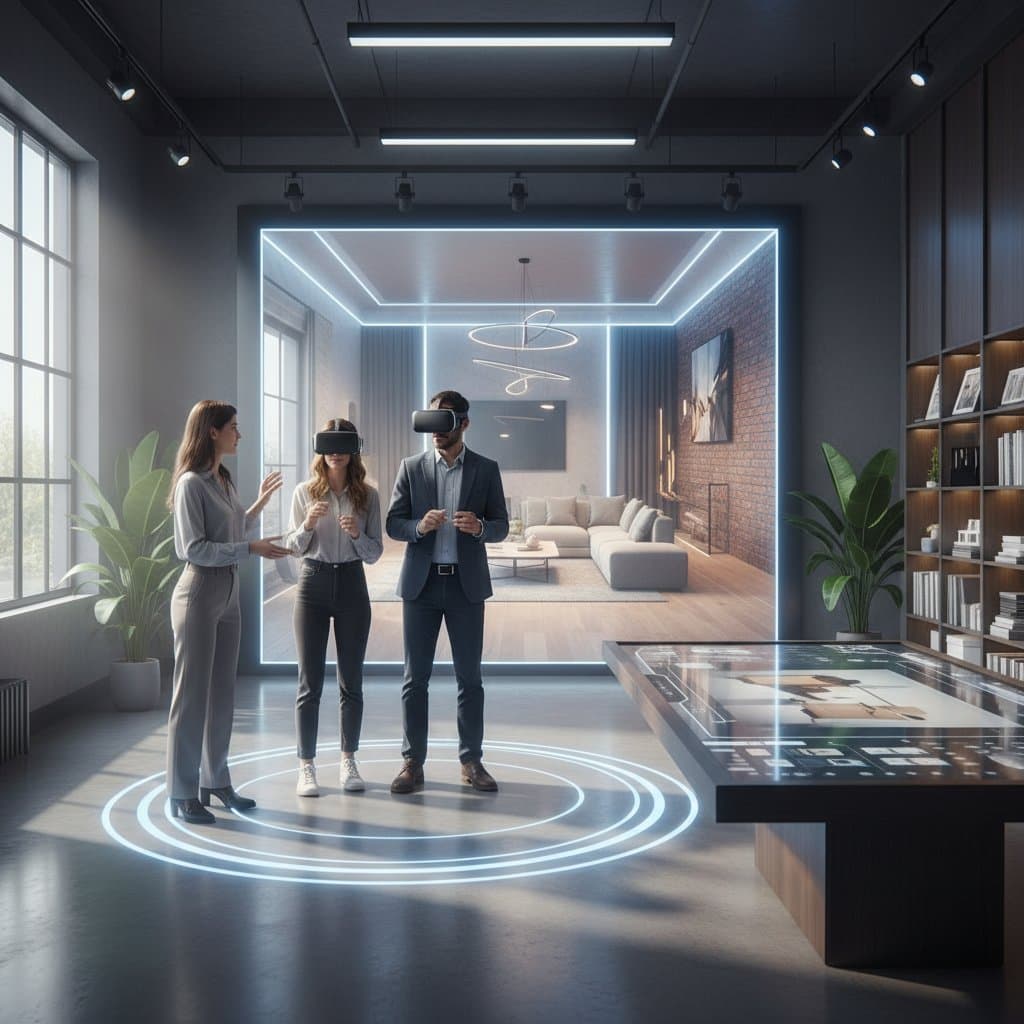
VR Previews Transform Interior Design Consultations
Clients now navigate redesigned rooms virtually before committing to paints, fabrics, or fixtures. Virtual reality previews reshape the planning process for designers and homeowners alike, minimizing errors and easing uncertainties.
Conventional consultations depend on mental visualization and two-dimensional drawings, often resulting in unexpected expenses. This guide details the operation of VR design previews, essential tools, and strategies for precise, expedited resolutions.
Note that VR serves as a planning aid rather than an absolute predictor. Real-world materials and illumination may vary subtly from simulations.
Essential Knowledge
Virtual reality previews immerse users in three-dimensional representations of proposed rooms. Participants examine surroundings, modify arrangements, and evaluate surfaces at actual proportions. Key limitations include initial expenses and rendering fidelity. Verify measurements and selections with a designer prior to procurement. Individuals susceptible to motion discomfort should restrict exposure to brief periods.
Required Tools and Resources
- VR headset or smartphone paired with a suitable viewer
- Design software featuring 3D visualization capabilities
- Navigation controller or keyboard
- Reliable internet for accessing cloud-hosted designs
- Measuring tape and detailed floor plan for precise data entry
- Reference images capturing current space illumination
Alternative option: Employ a laptop or tablet with a 360-degree viewer for introductory explorations when headsets prove unavailable.
Detailed Process
1. Collect Precise Room Measurements
Record dimensions of walls, windows, and doors, along with ceiling elevations and fixed elements. Minor discrepancies amplify in virtual environments, so verify all figures twice.
2. Input or Construct the Floor Plan
Design platforms often permit manual outlining or file imports. Maintain uniform scaling to ensure subsequent furniture integrations align properly.
3. Incorporate Furnishings and Surfaces
Choose items from integrated catalogs or import vendor-specific models. Align hues via color codes and replicate material properties for authentic depictions.
4. Simulate Lighting and Configurations
Apply virtual daylight and fixture simulations to assess impacts on selected palettes. This phase uncovers potential issues like reflections or obscurations ahead of time.
5. Activate Immersive VR Experience
Don the headset or launch the viewer. Traverse the digital space via controls or directional inputs, evaluating placements from multiple perspectives.
6. Identify Discrepancies
Document areas appearing constrained or inadequately lit. Leverage built-in markup or capture features for adjustments by the design team.
7. Evaluate Multiple Iterations
Develop at least two configuration options. Comparative VR views facilitate quicker selections over static images.
8. Validate Practical Implementation
Prior to acquisitions, ensure product availability in specified dimensions and textures. Request designer verification against manufacturer specifications.
9. Archive and Distribute the Design
Generate shareable links or files. This streamlines input from contractors, collaborators, or relatives, fostering alignment and clarity.
Recommended Practices and Pitfalls
Recommended Practices
- Confirm measurements prior to model creation.
- Employ daylight simulations for accurate tonal assessments.
- Conduct sessions in short durations to prevent exhaustion.
- Instruct designers to highlight critical features such as structural walls or permanent installations.
- Gauge furniture proportions relative to familiar items like current seating.
Pitfalls to Avoid
- Depend solely on virtual hue representations; procure physical specimens for validation.
- Overlook overhead and illumination specifics, which influence perceived spatial dimensions.
- Introduce excessive accessories prematurely; prioritize structural and circulatory elements.
- Disregard discomfort signals; pause as necessary.
- Overlook variations in application quality; select platforms excelling in material simulations.
Engaging Professional Expertise
Seek input from licensed designers or architects for endeavors involving modifications to structures, wiring, or piping. VR illustrates conceptual visions yet cannot assure regulatory adherence or structural integrity. Expert oversight proves essential for elements like support walls or integrated fixtures before execution commences.
Expense and Duration Overview
VR previews span from no-cost basic applications to several hundred dollars for advanced software or consultations. Headset acquisition or rental incurs additional hundreds. Full sessions typically span one to three hours, scaled to room scope and intricacy.
Factors influencing costs include:
- Software access fees or subscriptions
- Extent of personalization
- Professional involvement versus self-directed efforts
- Design elaboration and visual fidelity
For a modest living area, anticipate a half-day commitment post-measurement preparation.
Ongoing Management
- Refresh models upon alterations to inventory or coatings.
- Revalidate dimensions following updates.
- Secure files in cloud repositories.
- Maintain headset optics for optimal clarity.
- Revisit simulations at pivotal stages, such as subflooring or completion.
Insights from Specialists
Maya Torres, interior designer at Studio Form, notes that VR conveys spatial relationships immediately. She states, "When clients can walk through a full-scale version of their space, they make faster, more confident choices."
Alex Grant, digital design consultant at RenderCraft, highlights lighting emulation as a vital yet underappreciated advantage. He observes that most regrets stem from light misconceptions, and VR permits temporal variations in previewing.
Experts concur that VR augments rather than supplants tactile evaluations. Sensory qualities remain crucial for ultimate determinations.
Distinct Advantages of VR in Design
Legacy methods utilize illustrations, inspiration collages, and compact fabric excerpts, conveying aesthetics absent dimensional context. VR consolidates visuals into interactive frameworks, revealing integrations like flooring beneath tables or fixtures above arrangements.
Professionals increasingly apply VR for preliminary filtering. Explorations precede sampling or procurement, curbing reversals and revisions. Families benefit from unified visualizations, mitigating disputes over configurations or schemes.
Frequent Errors and Prevention Strategies
Neglecting Proportional Checks
Compare virtual spaces to physical metrics. An accommodating virtual piece may impede actual passages.
Undervaluing Surface Authenticity
Simulated textures often appear subdued; obtain samples to verify luster, patterns, or fabrics.
Excessive Model Clutter
Numerous ornaments impair efficiency and focus; streamline until core schematics solidify.
Presuming Automated Illumination
Manually calibrate intensity and tones to mirror actual conditions.
Overlooking Movement Dynamics
Simulate daily activities like transporting items to detect navigational constraints invisible in fixed views.
Enhancing Teamwork Through VR
Unified visualizations align stakeholders, curbing discrepancies among creators, installers, and owners. Builders assess clearances digitally prior to assembly.
Distance poses no barrier; participants review models remotely as adjustments occur live. Synced modifications expedite consensus.
VR further supports inclusive designs by evaluating access features like thresholds, elevations, or visibility for diverse requirements. It balances innovation with practicality.
Initiating VR at Home
- Install an accessible design platform with immersive functions.
- Utilize a mobile viewer or procure temporary headset access.
- Prototype a compact area to familiarize with controls.
- Emphasize arrangements over aesthetics initially.
- Capture visuals for external opinions.
Realizing Design Visions Efficiently
VR previews materialize concepts without financial exposure. They scrutinize scales, illuminations, and flows with precision. Initiate modestly, measure meticulously, and substantiate selections tangibly for seamless transformations.