
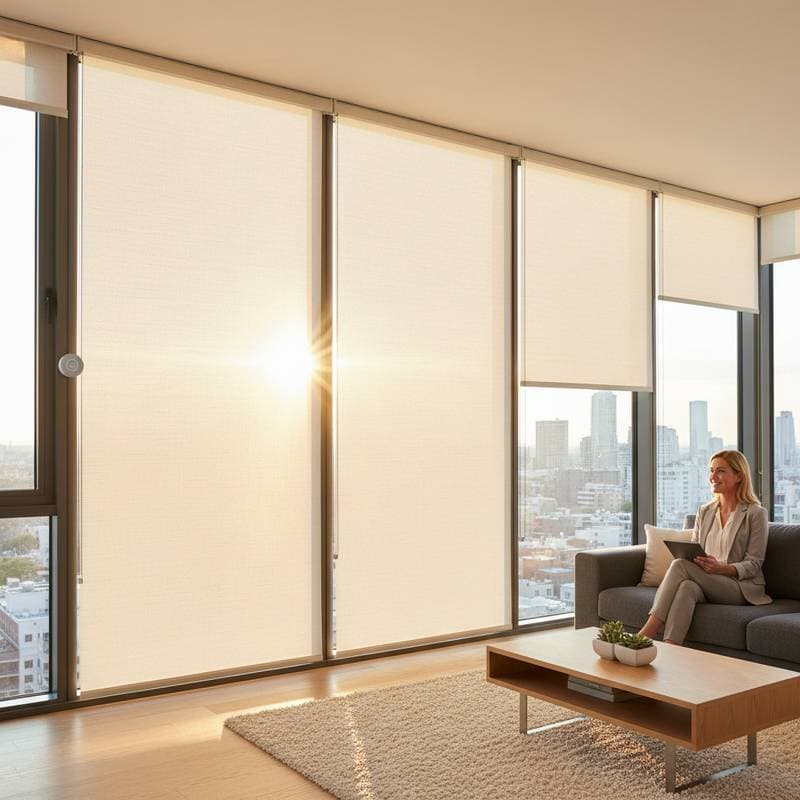
How Smart Shades Track the Sun to Reduce Glare and Heat
Achieve balanced lighting throughout the day without manual adjustments. Smart shades monitor sunlight and position themselves to control brightness, privacy, and temperature effectively.
Excessive glare or heat from direct sunlight often disrupts comfort in living spaces. These innovative systems address that issue by following the sun's trajectory to deliver soft, natural illumination. Although motorized shades require a higher initial investment compared to traditional options, they frequently yield long-term energy savings.
Essential Information on Smart Shades
Smart shades incorporate sensors or integrate with mobile applications to reposition based on shifting sunlight. They raise, lower, or tilt according to the sun's angle, user schedules, or predefined illumination objectives. A primary consideration involves ensuring access to power for the motors, such as nearby outlets or rechargeable batteries. Verify that the selected shades suit your window dimensions and light exposure levels prior to purchase.
Required Tools and Materials
- Motorized smart shades
- Smartphone or compatible hub for configuration
- Ladder or step stool for access
- Screwdriver and measuring tape for precision
- Optional: Solar panel or rechargeable battery pack for locations without outlets
Installation and Setup Guide
1. Measure Windows Precisely
Determine the width within the frame at the top, middle, and bottom positions. Select the smallest measurement to guarantee a secure fit. Record the height from the upper inside edge to the sill. Precise measurements avoid gaps that permit unwanted light infiltration.
2. Select the Control Method
Most setups utilize Wi-Fi or Bluetooth connectivity. Certain models integrate with central home hubs or voice-activated assistants. Choose based on your technical preferences. For straightforward operation, opt for shades equipped with a dedicated remote control rather than comprehensive smart ecosystems.
3. Mount the Brackets Securely
Pencil-mark the bracket locations on the frame. Employ a drill or screwdriver to fasten them solidly. Confirm level positioning with a tool before fully securing the screws. Misaligned brackets may cause the shade to jam or halt during operation.
4. Secure the Shade Assembly
Attach the headrail to the brackets using snaps or screws, following the manufacturer's guidelines. Perform a manual operation test prior to motor activation. Fluid motion indicates proper alignment.
5. Establish the Power Connection
Connect the motor to its power cord or install a battery pack. For solar variants, position the panel to receive unobstructed sunlight. Organize cords neatly to prevent interference with mechanical components.
6. Link the Shade to Controls
Adhere to the application's pairing instructions. Assign descriptive names to each shade, such as "Living Room East Window," for targeted or grouped management. Validate the connection stability before advancing.
7. Configure Lighting and Privacy Settings
Applications often allow specification of illumination thresholds. For instance, program shades to descend partially when indoor light intensity surpasses a defined level. Incorporate schedules for opening and closing aligned with daily activities.
8. Activate Sun-Tracking Functionality
If available, enable the sun-tracking or circadian mode on your device. Integrated sensors identify sunlight direction and automate adjustments to height or tilt. This feature minimizes screen glare while sustaining beneficial natural light.
9. Verify Operational Performance
Monitor the shades over a complete daylight cycle. Fine-tune sensitivity settings if movements occur excessively or insufficiently. Address erratic behavior by evaluating Wi-Fi signal strength or repeating sensor calibration.
Best Practices and Precautions
Recommended Actions:
- Clean components softly using a microfiber cloth to avoid dust accumulation on sensors.
- Inspect battery levels or solar panel orientation every few months.
- Establish separate zones for east-facing and west-facing windows to accommodate varying light exposures.
- Select controls designed for child safety, eliminating dangling cords.
Actions to Avoid:
- Refrain from applying liquid cleaners directly to fabrics or motor enclosures.
- Limit connected devices on networks with weak signals to prevent overload.
- Ensure sensors remain unobstructed by drapes or furnishings.
- Never attempt manual overrides during motor engagement.
Situations Requiring Professional Assistance
Engage a certified installer for elevated, large-scale, or automation-integrated windows. Experts handle secure electrical wiring and accurate setup. Seek professional help if shades fail to respond, emit grinding sounds, or exhibit uneven positioning, as these indicate potential motor stress or mounting issues.
Overview of Costs and Timeline
Pricing for smart shades varies significantly. Basic models approximate the expense of custom traditional shades, while advanced automated or material upgrades multiply that figure. Battery-operated units generally incur lower installation costs than hardwired alternatives. Expect one to three hours for a single window, influenced by mounting complexity and connectivity.
Primary factors affecting expense include:
- Type of motor and power mechanism
- Material durability and window dimensions
- Compatibility with existing home systems
- Charges for expert installation
Routine Maintenance Schedule
Maintain optimal function through regular care:
- Monthly: Remove dust from slats or fabrics using a dry cloth.
- Quarterly: Examine power links and execute full movement tests.
- Biannually: Clean sensors of debris and perform recalibration.
- Indicators of Required Service: Irregular lifting, sluggish reactions, or unusual motor sounds.
Perspectives from Specialists
"Smart shades function optimally when viewed as integral lighting solutions rather than mere devices," states Karen Liu, lighting designer at BrightHome Consultancy. She notes that regular calibration aligns with human circadian patterns, potentially enhancing concentration and sleep quality.
Electrical engineer Miguel Herrera from SunSync Systems emphasizes network dependability. "Application delays translate to shade delays. A reliable connection ensures seamless automation," he observes.
Experts concur that automation ought to support comfort unobtrusively. Begin with basic configurations, then incorporate advanced options after confirming system reliability.
Advantages for Energy Use and Comfort
Beyond glare reduction, smart shades lower cooling expenses by blocking summer heat influx and retaining winter warmth. Sun-tracking maintains consistent daylight, diminishing dependence on artificial sources.
Integration with adjustable lighting fixtures enables harmonious blending of natural and supplemental illumination. This approach fosters relaxed atmospheres and supports circadian health through balanced light exposure.
Considerations for Safety and Integration
Select shades compatible with your window style. Prolonged closure on unsealed wooden frames risks moisture-induced warping from heat retention. In humid zones like kitchens or bathrooms, prioritize water-resistant materials or protective coatings. Avoid placing motorized units near water sources or unsecured electrical points.
Practical Routines for Daily Operation
- Schedule gradual morning openings to ease visual adaptation.
- Configure midday positions to filter screen glare while preserving general illumination.
- Automate evening closures ahead of exterior lighting activation for enhanced privacy.
- Implement a "vacation mode" simulating occupancy patterns to deter intruders and maintain security.
Implementing Effective Light Management
Smart shades unify illumination control, seclusion, and efficiency through subtle automation. Initiate with a single installation to master the process, then scale to additional areas. Tailored configurations ensure spaces remain illuminated appropriately and serene as needed.